Is a WordPress Maintenance Service Worth It for a Small Business? (Honest Breakdown)
Is WordPress maintenance worth paying for? Here's an honest cost breakdown for small business owners
The real question is not whether maintenance costs money. It is whether the cost of not having it is higher. Here is the honest calculation for a service business owner.
By Sheikh Hassaan — Web developer for service businesses
Quick Answer
A WordPress maintenance service is worth it for small business owners who rely on their site for leads or bookings, do not want to spend time on technical upkeep, or cannot afford the downtime and recovery cost of a security incident. For sites generating real business, the monthly cost of a maintenance service is typically less than one hour of the owner's billable time. For low-traffic informational sites with no active lead generation, self-managed maintenance is a reasonable option.
What Happens to WordPress Sites That Go Without Maintenance

WordPress site down with no maintenance plan
The pattern is consistent across neglected WordPress sites. Updates get skipped because there is no time. Plugins fall multiple versions behind. A vulnerability is disclosed in a widely-installed plugin. The site gets compromised. The owner finds out when a client emails to say the website is showing pharmaceutical spam, or when Google flags it in Search Console, or when the hosting provider suspends the account.
Recovery from a compromised WordPress site costs between $150 and $400 for professional cleanup. If the site is too damaged to clean, a rebuild is required. The business loses whatever leads or bookings came through the site during the downtime. Google may apply a manual penalty that reduces search visibility for weeks after the site is cleaned.
This is not a rare scenario. It is the predictable outcome of a site that is not maintained. The question is not whether an unmaintained site will eventually have a problem. It is when, and what it will cost when it does.
A WordPress maintenance service does not eliminate all risk. It reduces the probability of an incident, reduces the severity when one occurs, and ensures the recovery tools are in place when needed. That is the value proposition. Whether it is worth the monthly cost depends on what the site is worth to the business.
What a WordPress Maintenance Service Actually Does
Maintenance services vary in scope. The following covers what a comprehensive service includes and why each component matters for a business site.
Core, Plugin, and Theme Updates
The most fundamental maintenance task: keeping WordPress core, all active plugins, and all themes on current versions. A maintenance service applies security patches within 48 hours of release, reviews major version changelogs before applying them, and tests updates that carry compatibility risk before pushing to the live site. For a business owner, this means the site stays current without requiring a weekly dashboard check or technical review.
Pro Insight:
Most compromises of maintained sites happen through plugins, not WordPress core. A maintenance service that applies plugin security patches promptly eliminates the most common attack vector. The vulnerability window between patch release and exploitation is often under 48 hours for widely installed plugins.
Backup Management and Restoration
A maintenance service configures, monitors, and tests backups. Daily automated backups to off-site storage, 30-day retention, and periodic restoration tests to confirm backup integrity. More importantly, when something goes wrong, restoration is handled by someone who knows how to do it quickly rather than an owner reading documentation for the first time under pressure.
Pro Insight:
The backup restoration test is the single most skipped item in self-managed maintenance. A backup that has never been tested is a backup of unknown reliability. Maintenance services test restoration periodically so the recovery process is verified before it is needed.
Security Monitoring and Incident Response
Active security monitoring means someone is watching for signs of compromise: file changes, new admin users, failed login spikes, malware signatures in scan results. For a business owner, this is the difference between discovering a problem the same day it occurs versus a week later when a client mentions it. Faster detection means faster resolution and less damage to search rankings and client trust.
Pro Insight:
Uptime monitoring catches redirect hacks that have no visible symptoms on the homepage. If malware redirects your site to a spam destination only for new visitors, you may never see it yourself. Monitoring tools detect the redirect independently of how the site appears to a logged-in admin.
Uptime Monitoring and Performance Checks
Uptime monitoring checks whether the site is reachable at regular intervals and sends an alert when it goes down. Basic uptime monitoring is included in most maintenance services and is also available free through tools like UptimeRobot. Performance checks review page load speed periodically and flag any degradation caused by new plugins, unoptimized images, or hosting issues.
Pro Insight:
Page speed affects conversion rates directly. A one-second increase in load time reduces conversions by a measurable percentage on most service business sites. Performance monitoring catches the gradual slowdown that accumulates when new plugins are added without reviewing their impact on load time.
Small Content Updates and Fixes
Better maintenance plans include a monthly allowance for small content updates: changing a phone number, updating service descriptions, fixing a broken link, adjusting a business hour. For a business owner who does not want to log into WordPress to make minor changes, this is a practical convenience that saves time and ensures changes are made correctly without accidentally breaking anything in the process.
Most business owners I work with realize within the first month that the time they spent managing their site is worth more directed toward their actual business.
DIY Maintenance vs Paid Service: The Real Cost Comparison
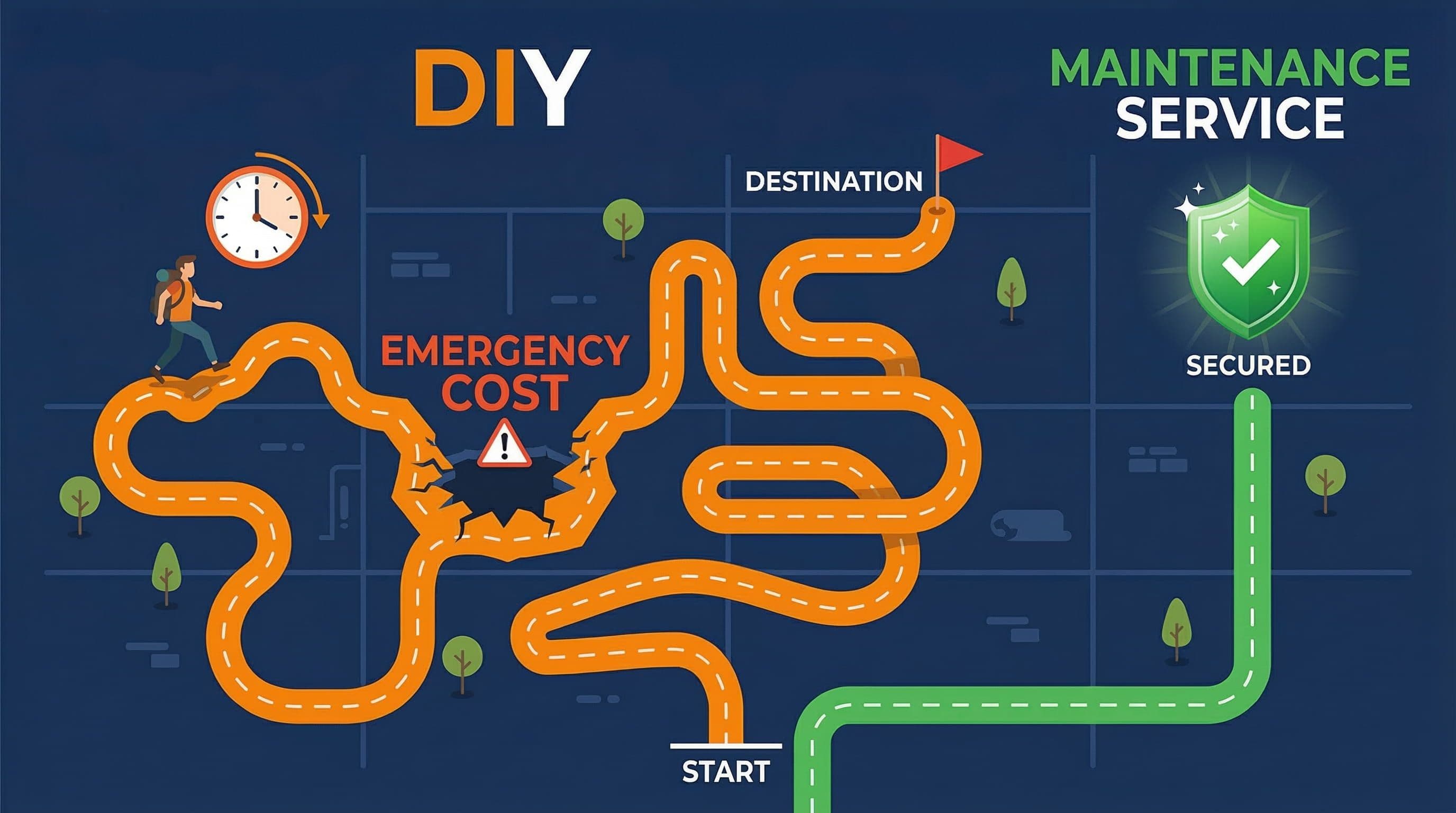
DIY WordPress maintenance vs paid maintenance service cost comparison for small business website owners
The decision comes down to a genuine cost comparison, not just the monthly fee of a maintenance service.
| Scenario | DIY Maintenance | Paid Maintenance Service |
|---|---|---|
| Weekly update time | 1 hour/month owner time | 0 hours owner time |
| Hack recovery (if compromised) | $150 to $400 one-time | Usually covered or discounted |
| Failed update fix | Owner troubleshoots or pays dev | Covered by service |
| Backup restoration | Owner manages | Handled by provider |
| Monthly cost | $0 (time cost only) | $30 to $100/month typical range |
| Best for | Technical owners with spare time | Busy owners who value time |
The column that most business owners underestimate is the time cost of DIY maintenance. At a conservative estimate of one hour per month for updates, backup verification, and security review, a business owner billing at $100 per hour is spending $100 in opportunity cost to avoid a $50 monthly maintenance fee. The math only favors DIY if the owner genuinely has spare time that has no other productive use.
How to Evaluate Whether a Maintenance Service Is Worth It for Your Site
Step 1: Calculate Your Actual Time Cost
What to do: Track how long you spend on WordPress maintenance for one month. Include the time to check for updates, apply them, verify backups, review security alerts, and fix anything that breaks. Multiply that time by your hourly rate or the hourly value of your time based on what you could have been doing instead.
Why it matters: Most business owners significantly underestimate maintenance time. A straightforward update session takes 15 to 30 minutes. A failed plugin update that requires troubleshooting takes 1 to 3 hours. A security incident takes a full day or requires paying a developer. The monthly time cost is not fixed. It is unpredictable, and the high-cost events are the ones that matter most.
Step 2: Assess Your Site's Revenue Dependency
What to do: Estimate how much revenue your site influences per month. This includes direct bookings or purchases, leads that convert to clients, and referral traffic that would be affected if the site went down or was penalized by Google. A site that influences $5,000 in monthly revenue has a much higher maintenance value than one that functions as a static brochure.
Why it matters: The value of maintenance scales with the value of the site to the business. A $50 monthly maintenance service protecting $5,000 in monthly leads represents a 1 percent insurance cost. The same $50 protecting a site that generates no measurable business value is a different calculation.
Step 3: Review Your Current Backup and Security Setup
What to do: Check whether daily backups are running and stored off-site. Confirm when the last backup restoration test was performed. Review whether a security plugin is installed and correctly configured. If any of these are absent or uncertain, the site is operating without a safety net.
Why it matters: A maintenance service typically delivers its most immediate value by establishing the infrastructure that is missing. A site with no reliable backup, no security plugin, and no update cadence is one incident away from a costly recovery. The first month of a maintenance service often closes multiple gaps that have existed since the site launched.
Step 4: Understand What Is and Is Not Covered
What to do: Before committing to any maintenance service, get clear answers to these questions. Does the service cover hack cleanup if the site is compromised? Is there a limit on how many updates are included per month? Are small content edits included or billed separately? What is the response time for urgent issues? What happens to backups if you cancel?
Why it matters: Maintenance service contracts vary significantly in scope. A service that handles updates but excludes incident response may leave you paying separately for the most expensive scenario. A service that includes hack cleanup effectively functions as insurance, and that changes the cost-benefit calculation considerably.
Step 5: Compare Against the Cost of One Incident
What to do: Get a realistic estimate of what it would cost to recover from a WordPress compromise on your specific site. Professional hack cleanup typically runs $150 to $400. A full rebuild if the site is unrecoverable runs $500 and up. Google penalty recovery can affect traffic for weeks or months. Add the revenue impact of downtime during recovery.
Why it matters: A maintenance service at $50 per month costs $600 per year. One serious security incident on an unprotected site costs more than that in cleanup fees alone, before accounting for lost revenue and time. The maintenance service does not need to prevent every problem. It needs to prevent enough problems, or reduce recovery costs enough, to justify its annual cost.
Common Mistakes Business Owners Make
Assuming the Hosting Provider Handles Everything
Managed hosting providers handle server-level security, uptime, and infrastructure. They do not update plugins, manage backups with 30-day retention, or respond to application-level security incidents. A site on quality managed hosting with no plugin maintenance is still vulnerable to the plugin-level attacks that account for most WordPress compromises.
Paying for Maintenance Without Confirming What Is Covered
The maintenance service market is inconsistent in what is included. Some services charge $30 per month for automated updates and nothing else. Others include active security monitoring and incident response for $80 per month. Paying for the cheaper service and assuming comprehensive coverage is a common and costly mistake. Read the scope of work before signing up.
Cancelling a Maintenance Service After No Incidents
Maintenance services that are working correctly produce no visible events. No hacks, no downtime, no broken updates. Some business owners interpret this as evidence the service is unnecessary and cancel it. The absence of incidents is the service working. The absence of incidents after cancellation is a question of when, not whether.
DIY Maintenance Without the Time to Do It Consistently
Self-managed maintenance works when it is done consistently. A business owner who handles updates when they remember, skips backup verification, and has never tested a restoration is not doing maintenance. They are creating the appearance of maintenance while accumulating the same vulnerability exposure as a completely unmanaged site. Inconsistent DIY maintenance is often worse than no maintenance plan at all because it creates false confidence.
What the Right Maintenance Setup Looks Like

Small business owner with a maintained WordPress website running reliably with security and backups configured
For a service business WordPress site, this is the minimum viable maintenance infrastructure regardless of whether it is self-managed or handled by a service:
- Daily automated backups to Google Drive or equivalent off-site storage, with 30-day retention
- Security plugin configured with firewall on Extended Protection mode and weekly malware scans scheduled
- Auto-updates enabled for WordPress core minor versions and security-flagged plugin patches
- Weekly 15-minute manual check for major updates, with changelog review before applying
- Uptime monitoring active with SMS or email alerts
- Staging environment available for high-risk update testing
- Backup restoration tested at least once to confirm integrity
A maintenance service delivers this infrastructure and the ongoing execution. Self-managed maintenance requires the owner to execute every item on this list consistently. Both approaches can work. The question is which one the business owner will actually maintain without letting it slide.
Don't Have Time to Deal With This?
If you are reading this article, you are probably a business owner who knows the site needs attention and is trying to figure out the best path forward. That is the right question to be asking.
The $449 Website Package is for service business owners who want a site built correctly from the start, with the maintenance infrastructure already in place at launch. Backups running. Security configured. Auto-updates active. A clear maintenance guide included so ongoing upkeep takes 15 minutes a week rather than an unpredictable scramble.
The site is built to stay healthy, not just to go live.
One fixed price. No agency overhead. No ongoing retainer required.
About the Author
Sheikh Hassaan — Website Developer for Small Businesses
I help service businesses launch fast, secure, conversion-focused WordPress websites without the agency price tag. I've built sites for coaches, consultants, local service providers, and founders who need something professional that actually works, not a DIY project that becomes a second job.
Related Articles
Frequently Asked Questions
Is a WordPress maintenance service worth it for a small business?
Yes, for most small business owners who rely on their site for leads or bookings. The monthly cost of a maintenance service is typically less than the time cost of self-managed maintenance, and significantly less than recovering from a single security incident.
How much does WordPress maintenance cost per month?
WordPress maintenance services typically range from $30 to $150 per month depending on what is included. Basic services cover updates and backups. Comprehensive services add security monitoring, incident response, uptime monitoring, and small content edits.
What happens if I don't maintain my WordPress site?
Unmaintained sites accumulate known vulnerabilities as plugins fall behind on updates. The predictable outcome is either a security compromise or a broken site from a compatibility conflict. Recovery from a compromise typically costs $150 to $400 in professional cleanup fees, plus lost revenue during downtime.
Can I do WordPress maintenance myself?
Yes, if you are consistent about it. Self-managed maintenance requires a weekly 15-minute update check, daily automated backups confirmed monthly, a configured security plugin, and a tested restoration process. The risk is not the tasks themselves but the consistency required to do them every week without letting them slide.
Does my WordPress hosting include maintenance?
Managed hosting covers server-level security and infrastructure. It does not cover plugin updates, application-level security monitoring, backup management, or incident response. Hosting and maintenance are separate responsibilities that both need to be addressed.